4.8.5 NGTIP Integration
NGTIP integration connects the intelligence query and platform function APIs of the ThreatBook HVV intelligence platform to Flocks device management. Before integration, create API Keys in the NGTIP console and configure them in Flocks by function type.
Open API Key Management
After logging in to the NGTIP console, open Configuration Management > Business Scenario Configuration.
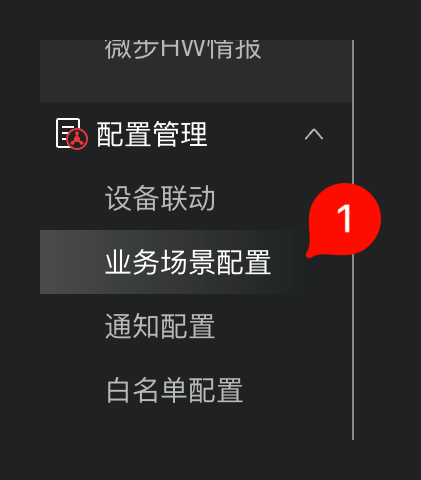
On the business scenario configuration page, switch to Platform APIKEY Management, then click Add.

Add API Key
On the Add ApiKey page, enter basic information and select functions. Flocks usually needs at least an API Key for intelligence queries. If platform function interfaces also need to be called, prepare another API Key for platform functions.
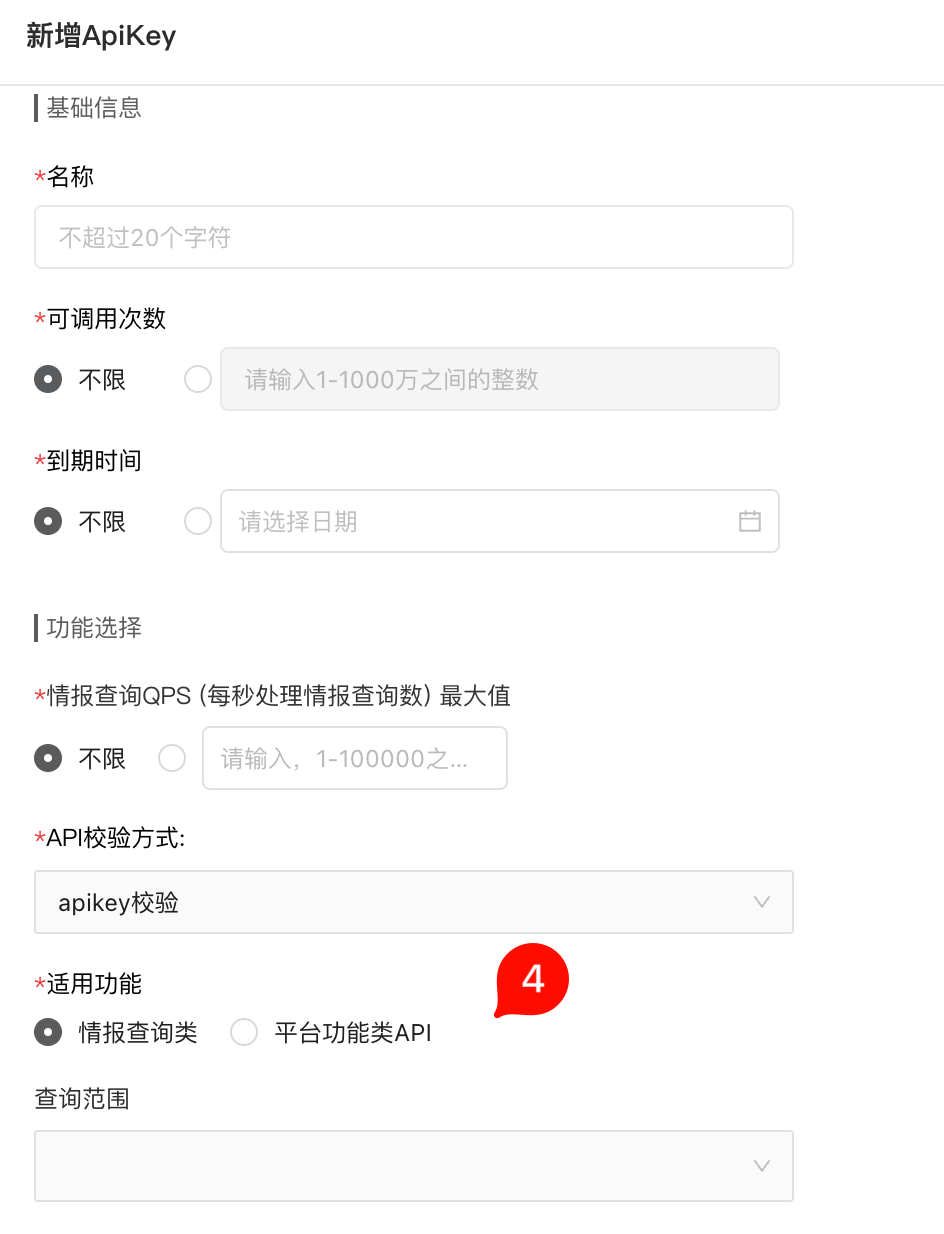
Recommended fields:
- Name: Enter an easy-to-recognize name, such as
flocks. - Callable Count: Choose unlimited or a fixed count according to the security policy.
- Expiration Time: Choose unlimited or a fixed expiration date according to the security policy.
- API Verification Method: Select
apikey verification. - Applicable Function: For intelligence query interfaces, select Intelligence Query; for platform function interfaces, select Platform Function API.
- Query Scope: Select according to the actual authorization scope.
After saving, copy the generated API Key. Save API Keys for different function types separately. Avoid entering an intelligence query Key into the platform function field.
Enter Configuration in Flocks
Open Device Integration, select the ThreatBook NGTIP template, and enter the instance configuration.
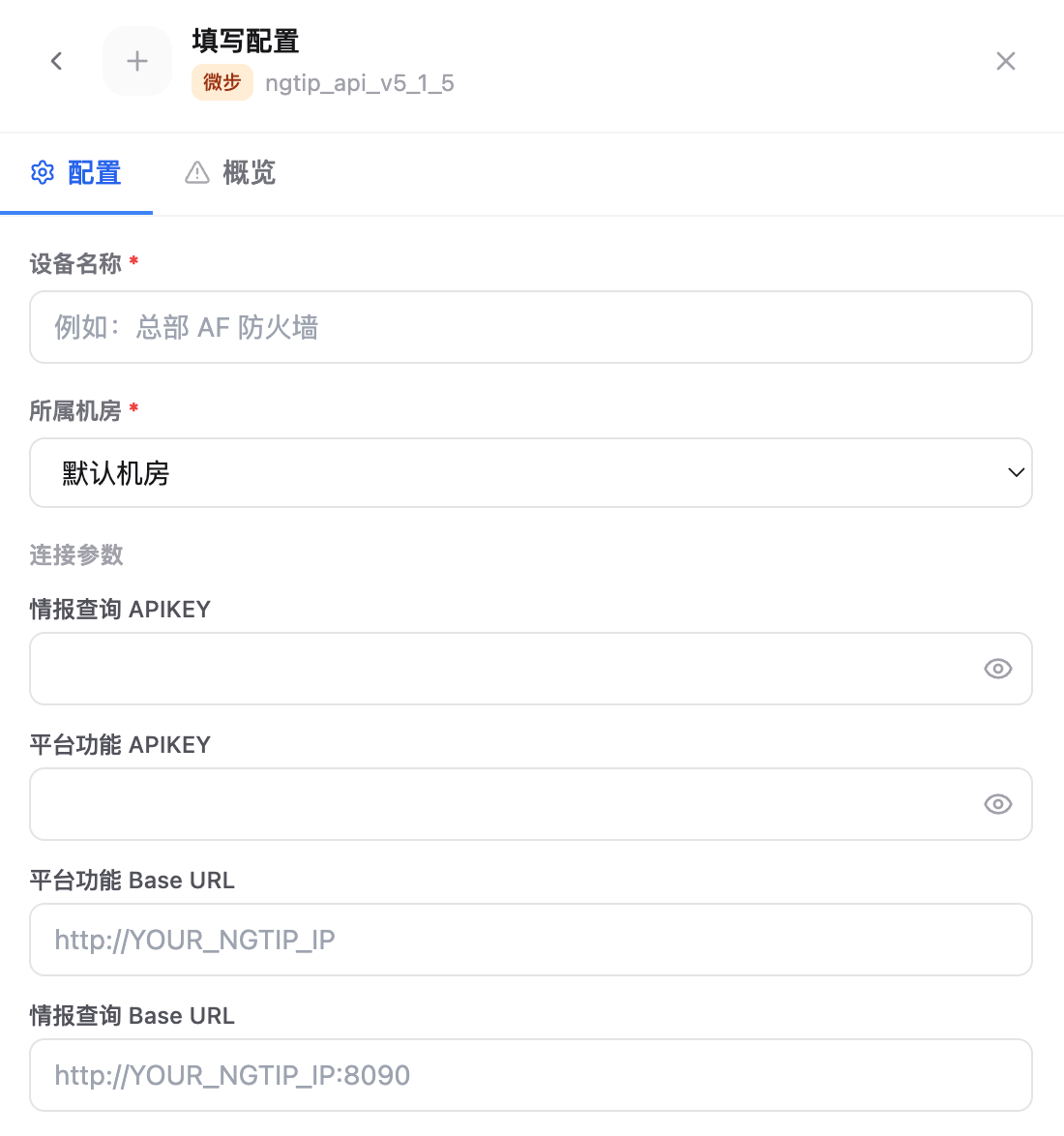
Key fields:
- Device Name: Current NGTIP instance name.
- Data Center: Data center or region that the device belongs to.
- Intelligence Query APIKEY: Enter the API Key in NGTIP whose applicable function is Intelligence Query.
- Platform Function APIKEY: Enter the API Key in NGTIP whose applicable function is Platform Function API. If you are only integrating intelligence query capability for now, you can leave this blank.
- Platform Function Base URL: Enter the platform function interface address, usually
http://YOUR_NGTIP_IP. - Intelligence Query Base URL: Enter the intelligence query interface address, usually
http://YOUR_NGTIP_IP:8090.
After saving, run the connectivity test and confirm that both Base URLs are reachable from the Flocks environment.
FAQ
| Question | Solution |
|---|---|
| Intelligence query failed | Confirm that the applicable function of Intelligence Query APIKEY is Intelligence Query, and check that the Intelligence Query Base URL includes the correct port. |
| Platform function interface failed | Confirm that the applicable function of Platform Function APIKEY is Platform Function API, and check the Platform Function Base URL. |
| Connectivity test timed out | Confirm that the environment where Flocks runs can access both the NGTIP platform port and intelligence query port. |