4.8.3 OneSEC Integration
OneSEC integration connects the OneSEC platform's Open API capabilities to Flocks device management. Before integration, enable the Open API in the OneSEC console, copy api_key and secret, then return to Flocks and enter the device instance configuration.
Enable Open API in OneSEC
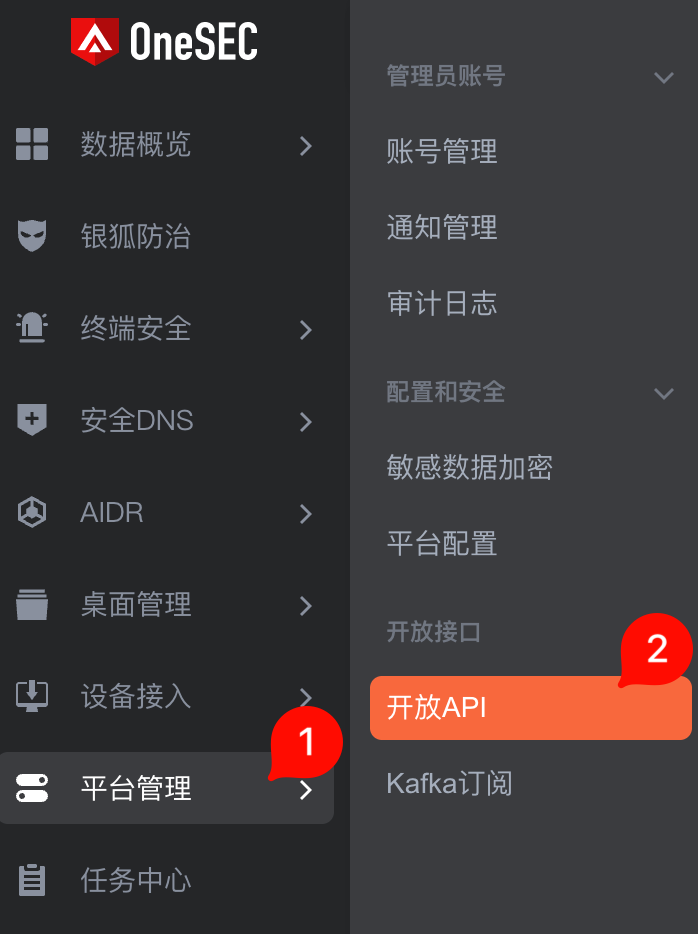
After logging in to the OneSEC console, open Platform Management on the left and select Open API in the secondary menu.
On the Open API page, confirm that API Status is enabled. The API Verification area below displays api_key and secret. Click copy and save them in a secure location.
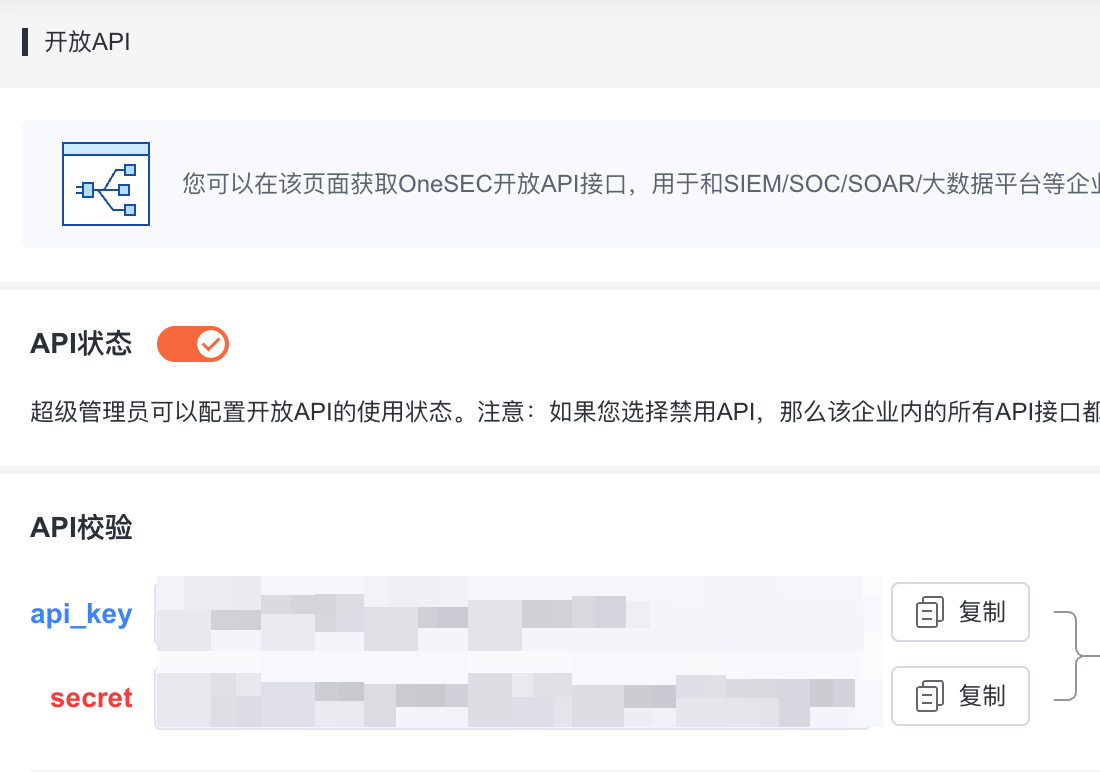
Prepare:
- API Key: The
api_keyon the OneSEC page. - Secret: The
secreton the OneSEC page. - Base URL: The OneSEC console address, typically
https://console.onesec.net. For on-premises or private deployments, enter the actual server address.
Enter Configuration in Flocks
Open Device Integration, select the OneSEC template, and enter the instance configuration.
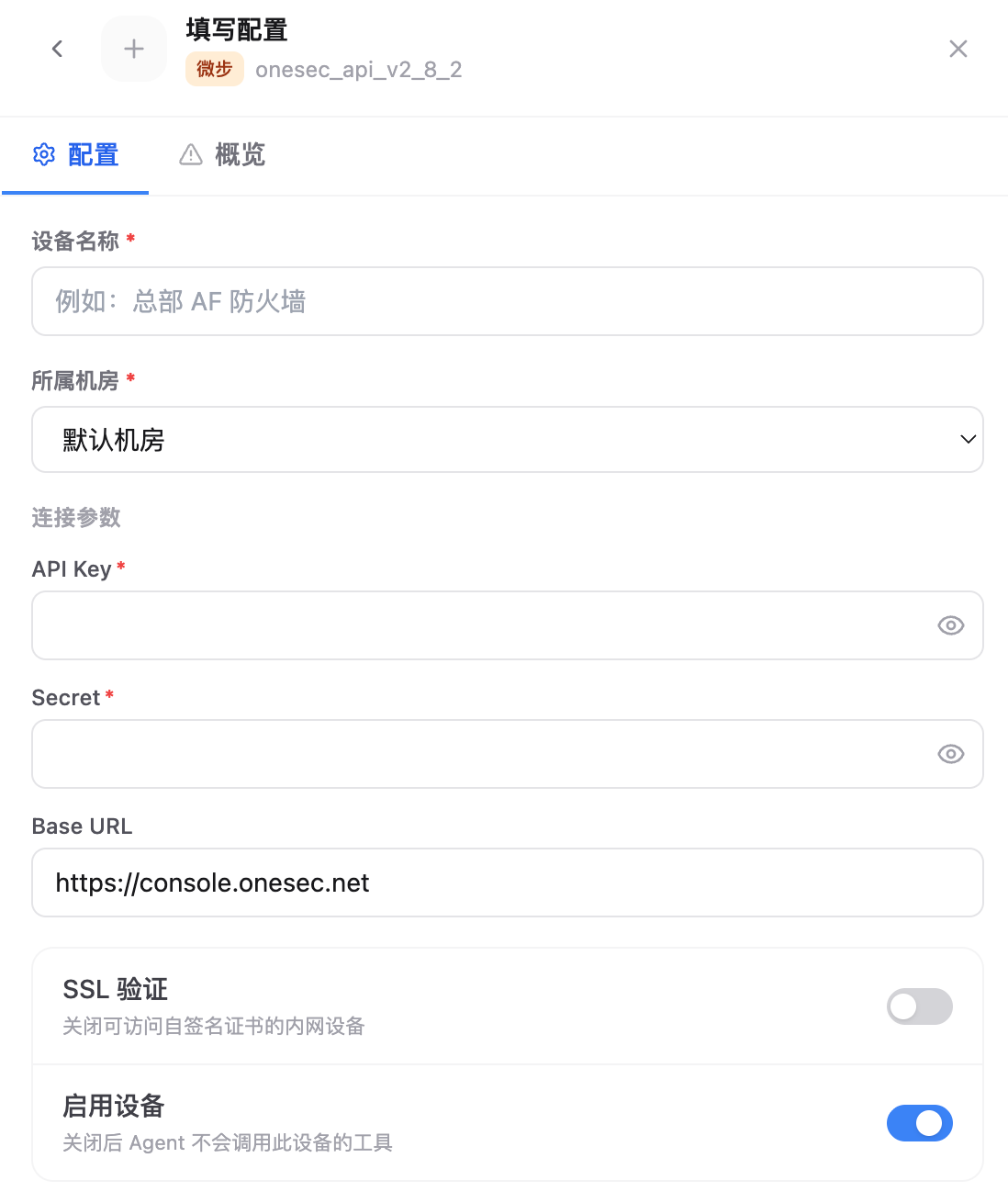
Key fields:
- Device Name: Current OneSEC instance name.
- Data Center: Data center or region that the device belongs to.
- API Key: Enter the
api_keyfrom the OneSEC Open API page. - Secret: Enter the
secretfrom the OneSEC Open API page. - Base URL: For SaaS environments, usually enter
https://console.onesec.net; for private environments, enter the actual console address. - SSL Verification: Can be disabled when an internal self-signed certificate causes the connectivity test to fail.
- Enable Device: Keep this enabled so Agent can call this device's tools.
After saving, run the connectivity test. After the test succeeds, the OneSEC instance appears in the device list and can be called by Agent or Workflow.
FAQ
| Question | Solution |
|---|---|
| Cannot find the Open API entry point | Confirm that the current account has platform management permissions. |
| Connectivity test authentication failed | Copy api_key and secret again. Avoid copying spaces or using an old key. |
| Private deployment address is unreachable | Confirm that the environment where Flocks runs can access the OneSEC console or API address. |