4.8.6 SkyEye Integration
SkyEye integration connects Qi An Xin SkyEye alert, asset, or event query capabilities to Flocks device management. Before integration, prepare the password-free login key in the SkyEye console, then enter API Key, Base URL, and Username in Flocks.
Base URL must include /skyeye
The Base URL for a SkyEye device must end with /skyeye, such as https://example.com/skyeye or https://example.com:443/skyeye. If you enter only a domain name or IP, the connectivity test and later interface calls may not find the correct SkyEye API path.
Prepare the SkyEye Key
After logging in to the SkyEye console, open Account Management > Local Account Configuration and obtain or set the password-free login key under SSO Key Configuration.
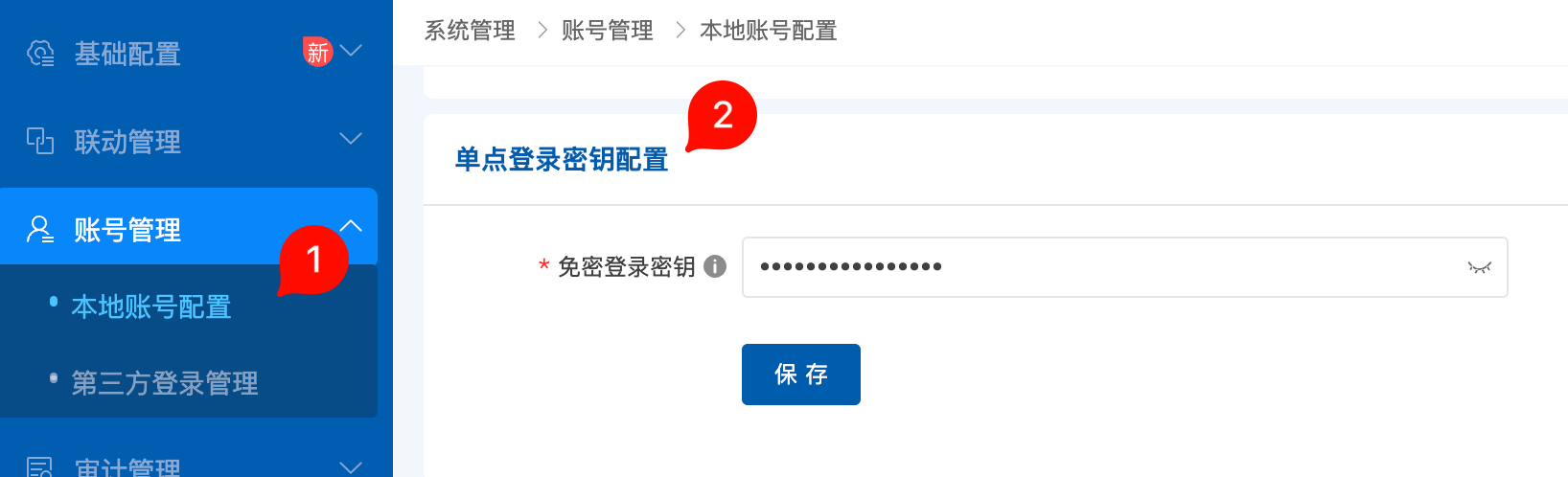
Prepare:
- API Key: Enter the password-free login key from SkyEye SSO key configuration.
- Base URL: SkyEye console address, with the
/skyeyesuffix appended. - Username: Local account username used to access SkyEye.
Enter Configuration in Flocks
Open Device Integration, select the Qi An Xin SkyEye template, and enter the instance configuration.
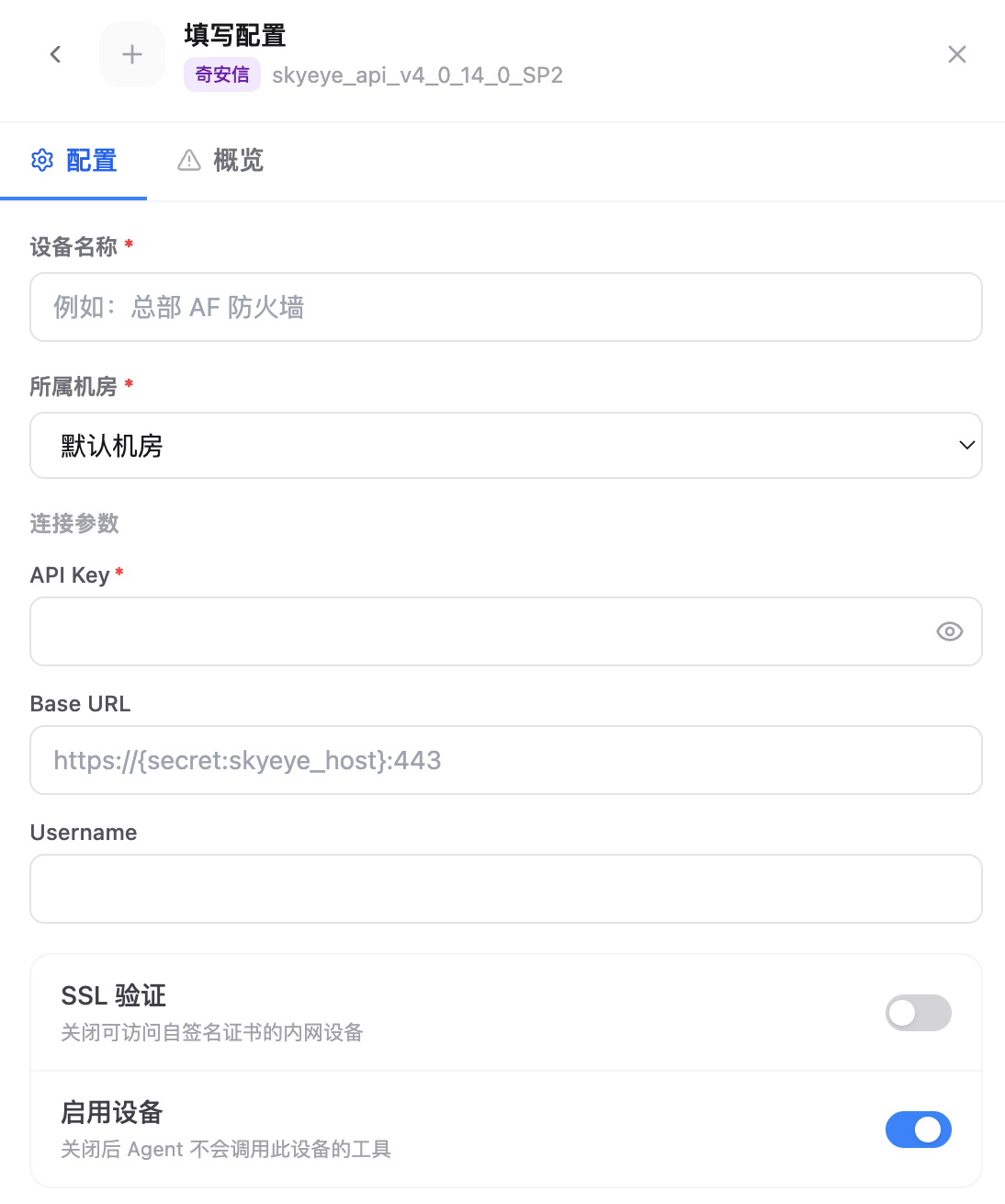
Key fields:
- Device Name: Current SkyEye instance name.
- Data Center: Data center or region that the device belongs to.
- API Key: Enter the SkyEye password-free login key.
- Base URL: Enter the SkyEye access address. It must include the
/skyeyesuffix, such ashttps://10.0.0.10:443/skyeye. - Username: Enter the local account username that can access SkyEye.
- SSL Verification: Can be disabled when an internal self-signed certificate causes the connectivity test to fail.
- Enable Device: Keep this enabled so Agent can call this device's tools.
After saving, run the connectivity test. If the test fails, first check whether Base URL is missing /skyeye, then check whether the account and password-free login key match.
FAQ
| Question | Solution |
|---|---|
| Connectivity test returns 404 or path does not exist | First check whether Base URL includes the /skyeye suffix. |
| Authentication failed | Confirm that API Key is the password-free login key from SSO key configuration, and check Username. |
| HTTPS certificate failure | For internal self-signed certificate scenarios, disable SSL Verification and retry. |