2.3 First-Time Setup
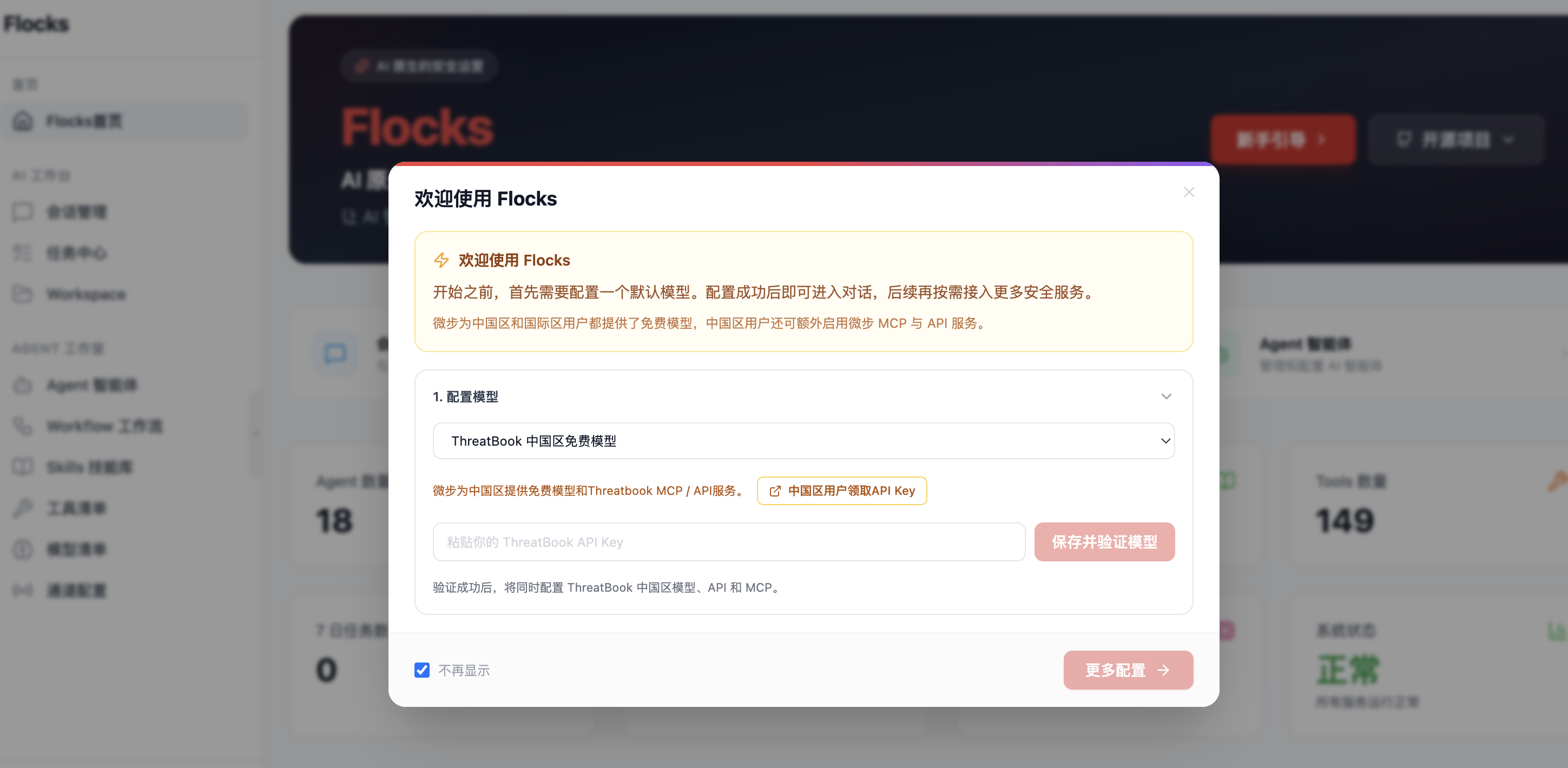
After opening the WebUI for the first time, create the local administrator account, complete onboarding, and configure a model:
- Run the
bootstrap-adminsetup and create the primary local administrator account. - Go to model management and select an officially supported model provider, or select
OpenAI Compatibleto connect a service compatible with the OpenAI API. - Fill in Base URL, API Key, and model name.
- Click "Test Connection" and verify API connectivity.
- Set the default model, then continue the onboarding tasks. You can also add more models in model management.
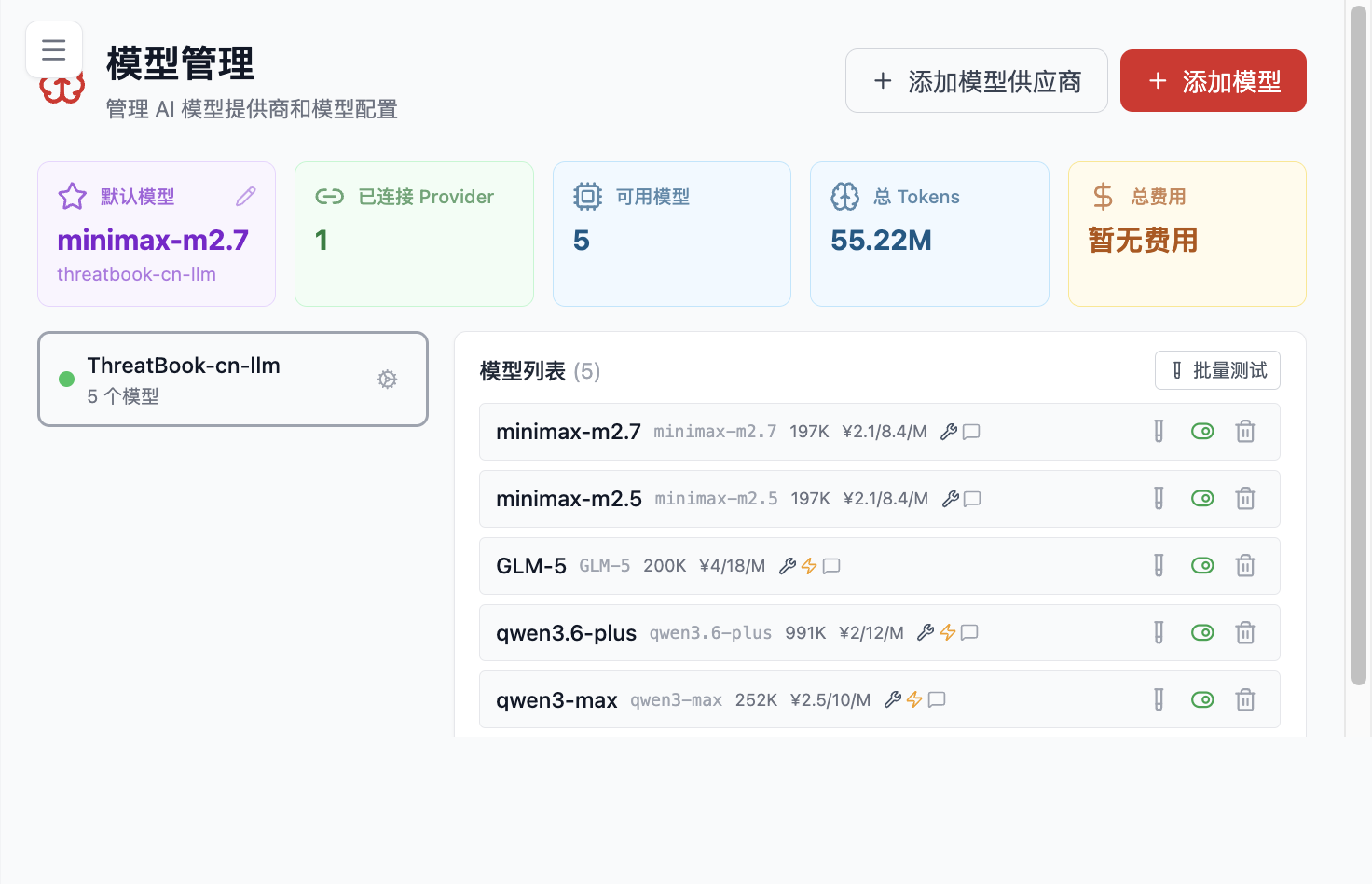
Figure 2.1: Model Management dashboard and configuration actions.
After account initialization, configure the model as follows.
Step 1: Add a Model Provider
If you use an officially supported model service, select the corresponding provider directly. If you use a self-hosted gateway, local model service, or third-party service compatible with the OpenAI API, the OpenAI Compatible mode is usually the right choice.
Step 2: Add a Specific Model
You usually need to fill in:
- Base URL or API address
- API Key
- Model name
Step 3: Test the Connection
Skipping this step is a common reason why saved models fail to respond in production. Saving the configuration only writes the details into Flocks; it does not verify API connectivity. Testing the connection catches address errors, authentication failures, and interface incompatibilities early.
Step 4: Set the Default Model
This step is easy to miss during first-time setup.
Key distinction:
- Added model: Flocks can list the model as available.
- Default model: Flocks uses it first for future tasks.
If no default model is set, the home page may still show onboarding as incomplete, and Agents may fail to execute tasks.
First-Time Setup Checklist
bootstrap-adminsetup is complete, and theadminaccount can log in normally.- At least one provider has been configured successfully.
- At least one model has been saved.
- Model testing has passed.
- A default model has been set.
- The home page onboarding status shows completed.
If all of the above are correct, continue to Feature Modules for conversation management, workflows, Agents, and tool integration.