Create Workflow
The goal of creating a Workflow is to preserve a stable, reusable, testable security operations process as workflow.md and workflow.json. During creation, review the human-readable workflow.md first, then let Rex generate the machine-executable workflow.json.
1. Creation Entry
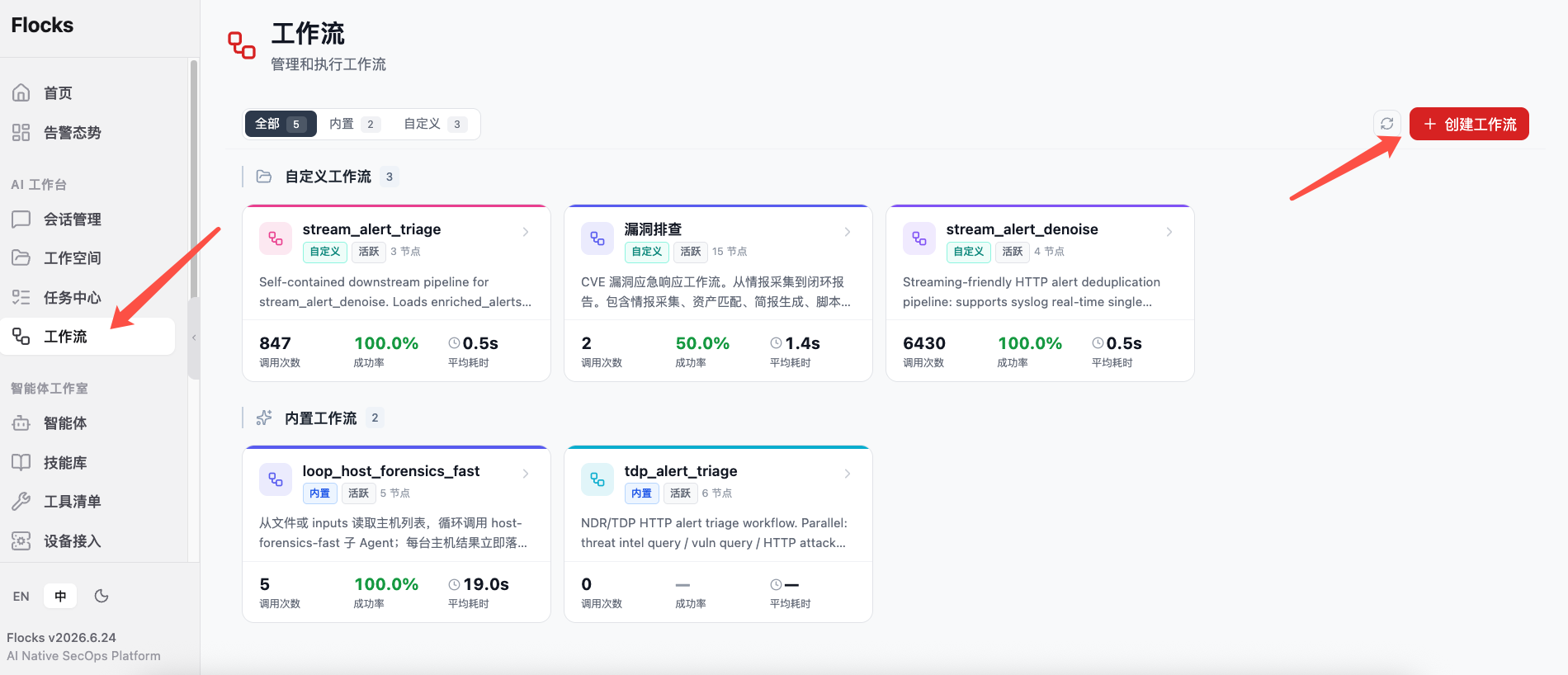
Go to Agent Studio -> Workflow from the sidebar and click Create Workflow.
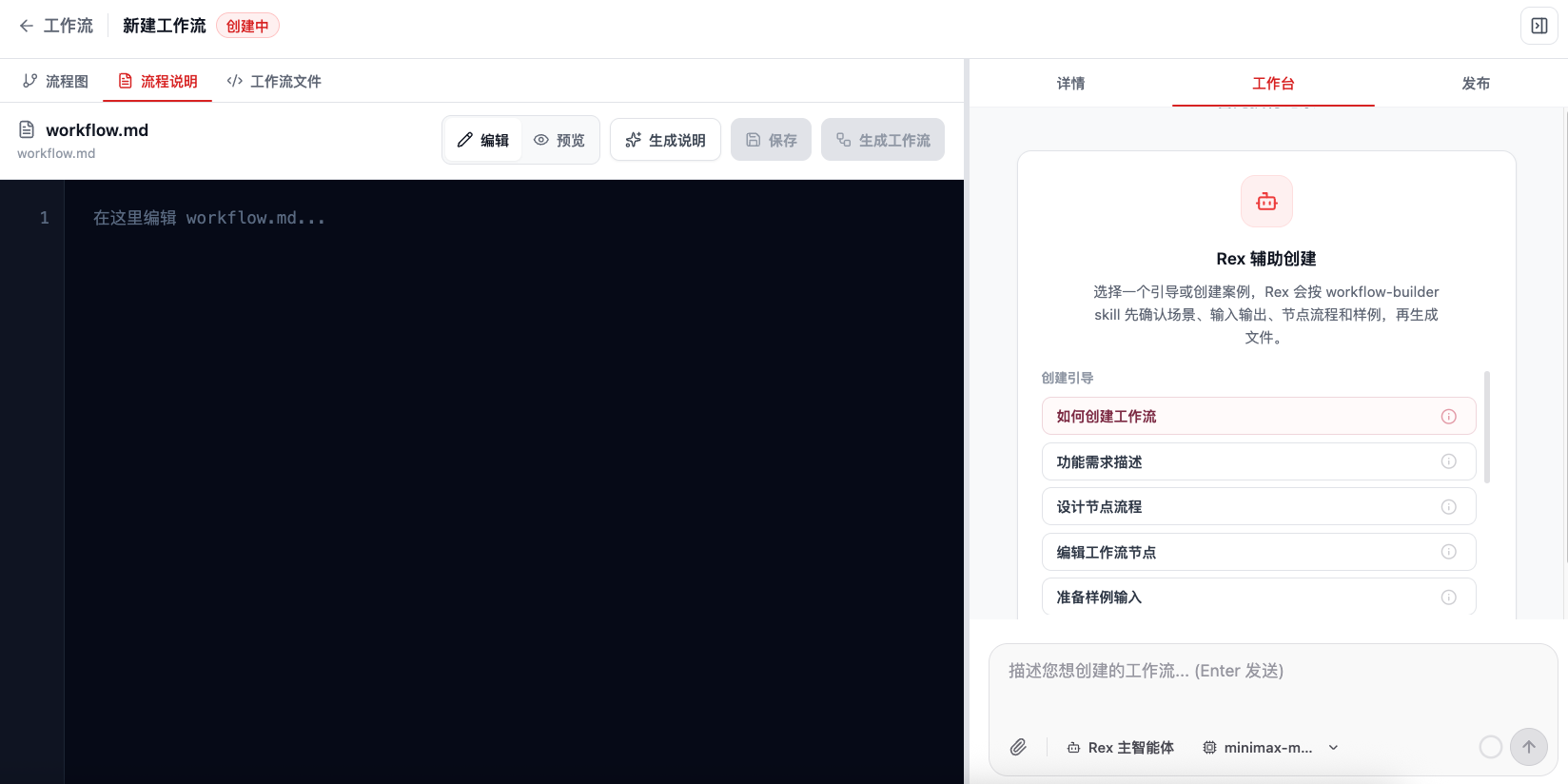
The creation page uses a "left document / canvas, right Rex workbench" layout:
- The left side has three views: Flowchart / Process Description / Workflow File. Early in creation, usually stay on Process Description to edit or review
workflow.md. - The right side has three tabs: Details / Workbench / Publish. Early in creation, mainly use Workbench, where Rex helps generate files.
- If no workflow exists yet, the flowchart area prompts you to describe the requirement in the right dialog. AI automatically generates and visualizes the workflow.
2. Creation Methods
2.1 Describe the Workflow Directly
Describe the goal to Rex in a session or on the Workflow creation page, for example:
Help me create a workflow for triaging NDR alerts.

Input: one raw NDR alert or a batch of raw NDR alerts
Steps:
- Parse alert fields
- Enrich intelligence, asset context, and historical alert context
- Delegate to the alert triage Agent for conclusions
- Generate structured JSON and Markdown reports
- Send high-risk results through a channel

Requirements:
- Every node must have input and output schemas
- After generation, run single-node tests and full integration tests
- Test data and reports must land in the Workspace outputs directory
The clearer the requirement, the closer the generated Workflow will be to the real business need. Include input data, key judgment logic, output format, failure handling, and outbound rules.
2.2 Discuss the Plan First, Then Generate the Workflow
For a task that is not fully defined yet, discuss the plan with Rex first. Let Rex analyze the best process, then generate the Workflow based on the recommendation.
I want to turn vulnerability asset investigation into a Workflow.
First help me analyze which steps this task should be split into, what inputs and outputs each step needs, and whether Agents or tools are required.
After the plan is confirmed, help me generate the workflow and run tests.
2.3 Promote a Successful Task into a Workflow
If Rex has already completed a full process in a session, ask Rex to preserve it as a Workflow:
Based on the alert triage process just now, help me create a reusable Workflow.
Keep the key steps, node inputs and outputs, tool choices, Agent delegation, and final report format.
This is suitable for turning an already verified process into a testable, reusable, schedulable automation playbook.
2.4 Import Existing workflow.json or External Playbooks
Workflow structured definitions can be imported and exported. Team members can share a verified workflow.json with other Workspaces. After import, immediately run single-node tests and integration tests to confirm that tools, models, and data sources are available in the current environment.
If you already have Dify or n8n playbook configuration files, you can also hand them directly to Rex. Rex reads the original nodes, connections, inputs and outputs, and tool call logic, then tries to generate an equivalent Flocks Workflow.
3. Recommended Creation Flow
- Describe the workflow goal in Workbench, or choose a creation guide / creation example.
- Ask Rex to generate or complete
workflow.mdfirst. This step is for human review and should explain functionality, applicable scenarios, inputs and outputs, node flow, modifiable points, examples, and acceptance method. - Review
workflow.mdin Process Description on the left. Edit directly or continue asking Rex to modify it if needed. - Click Generate Workflow and let Rex generate or update
workflow.jsonbased on the currentworkflow.md. - After generation, inspect Flowchart and Workflow File to confirm that nodes, edges, schemas, and trigger configuration match expectations.
workflow.md is the requirements contract during creation. workflow.json is the machine-executable definition. In practice, confirm workflow.md first, then generate workflow.json. Do not skip human review.
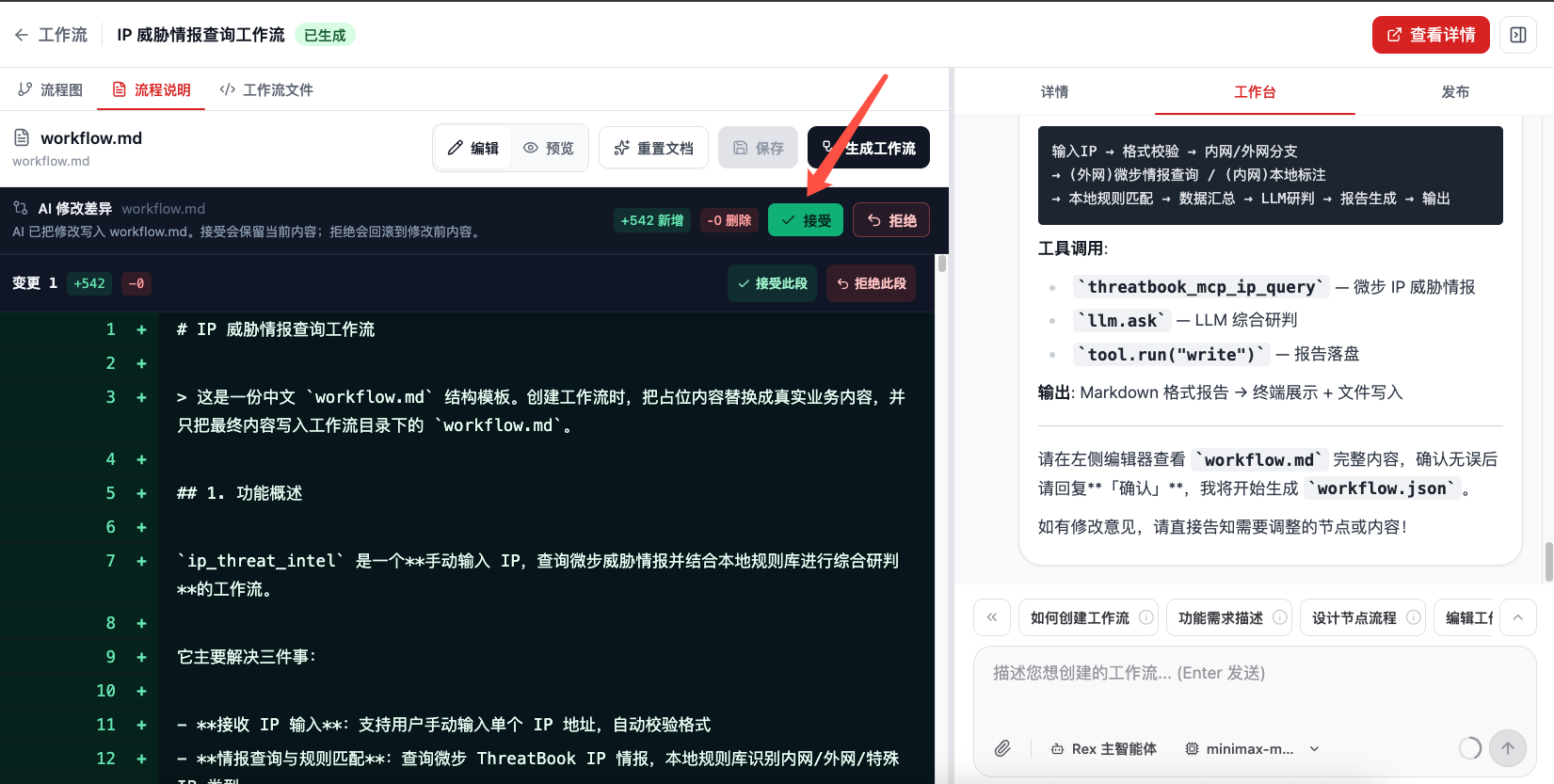
After Flocks-assisted creation, the left side first displays the AI modification diff for workflow.md. At this point, manually review whether the added content covers real business goals, inputs and outputs, node flow, tool calls, and acceptance criteria. If it meets the requirement, click Accept to keep the changes.
After review and confirmation that workflow.md is correct, click the top Generate Workflow button to generate workflow.json and node definitions.
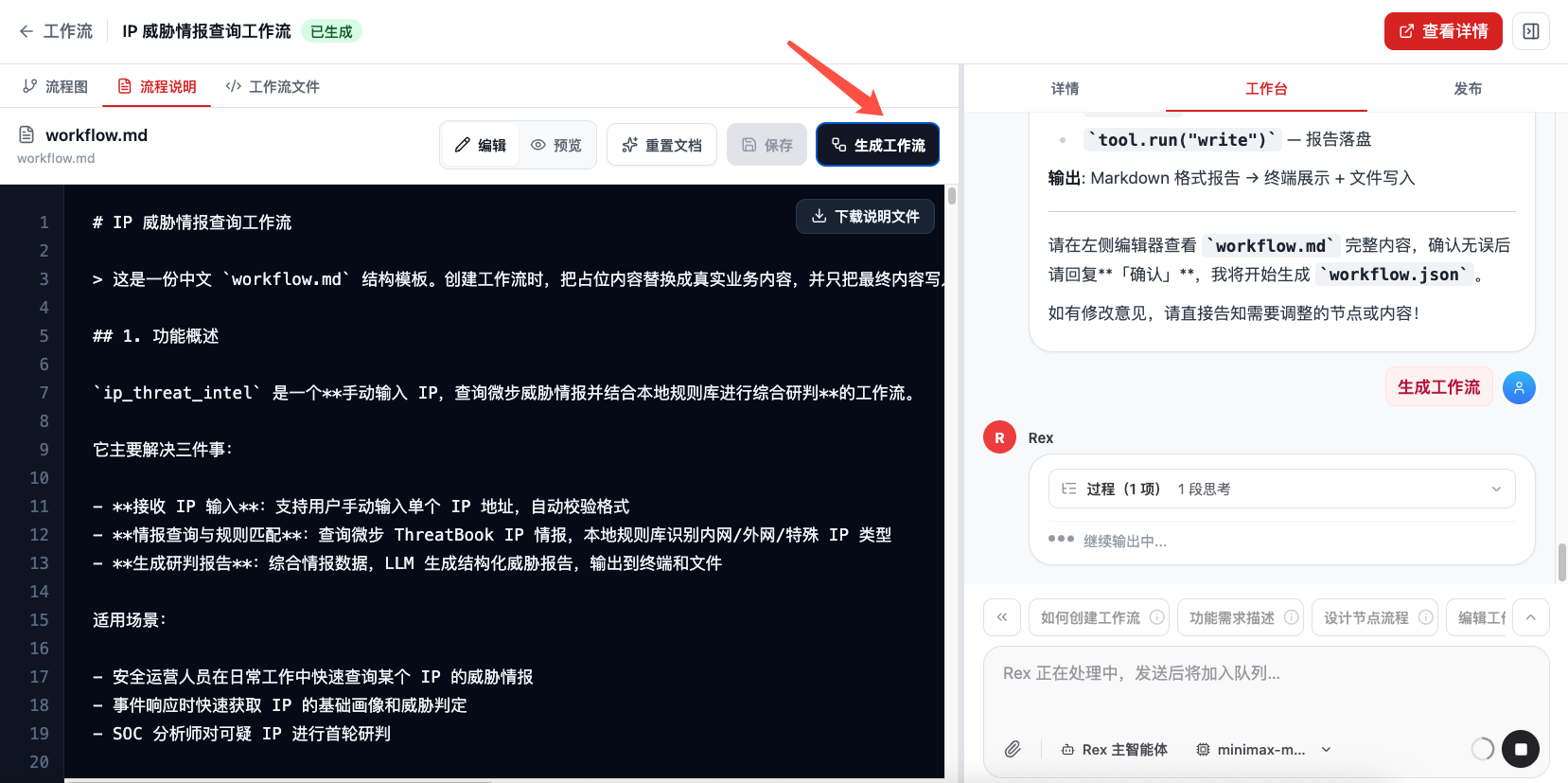
During generation, Rex plans generation tasks based on the confirmed workflow.md, such as generating workflow.json, validating JSON format and Python syntax, testing each node, integration testing, and performance evaluation. The workbench shows the current step and execution status.
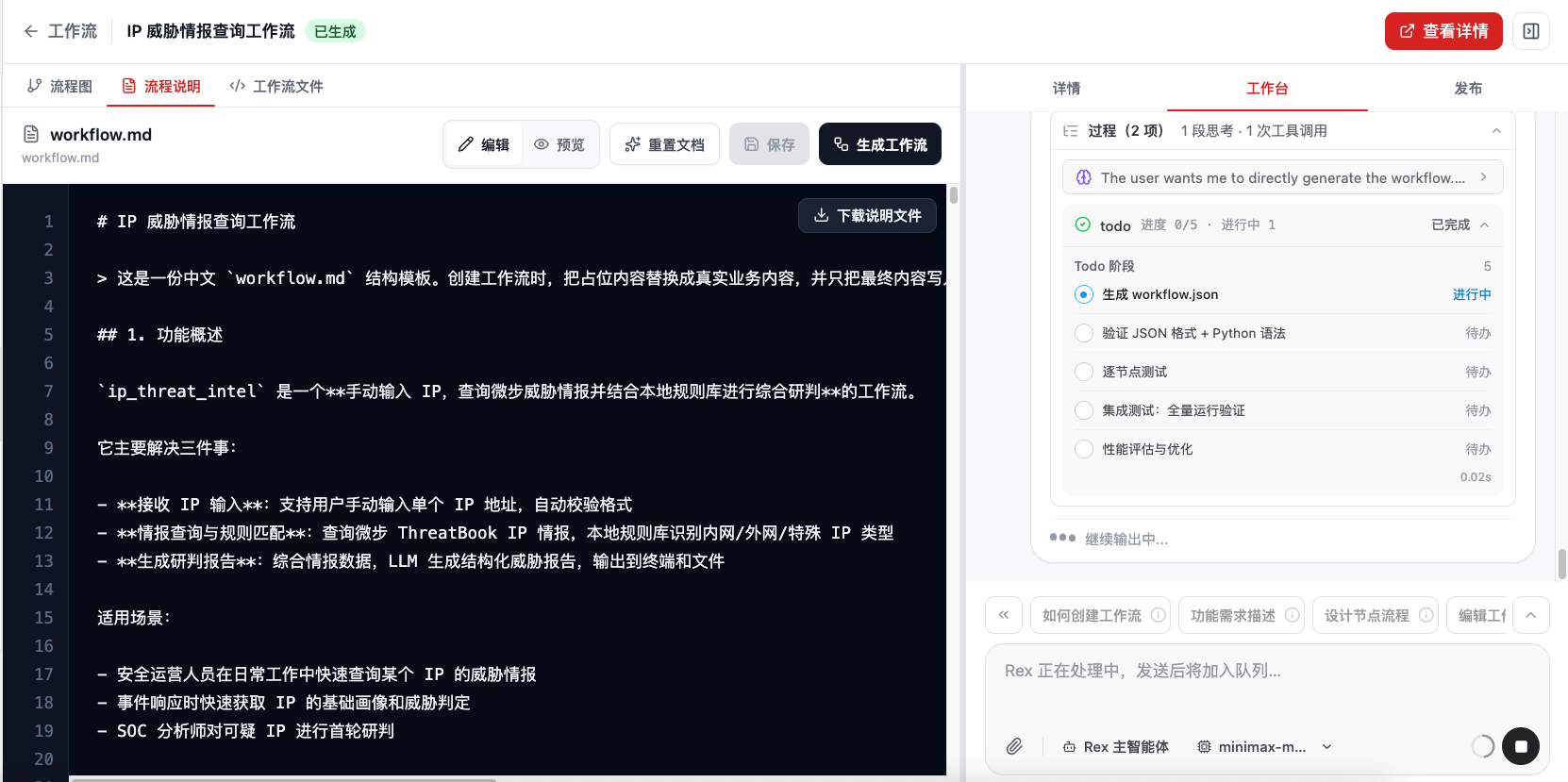
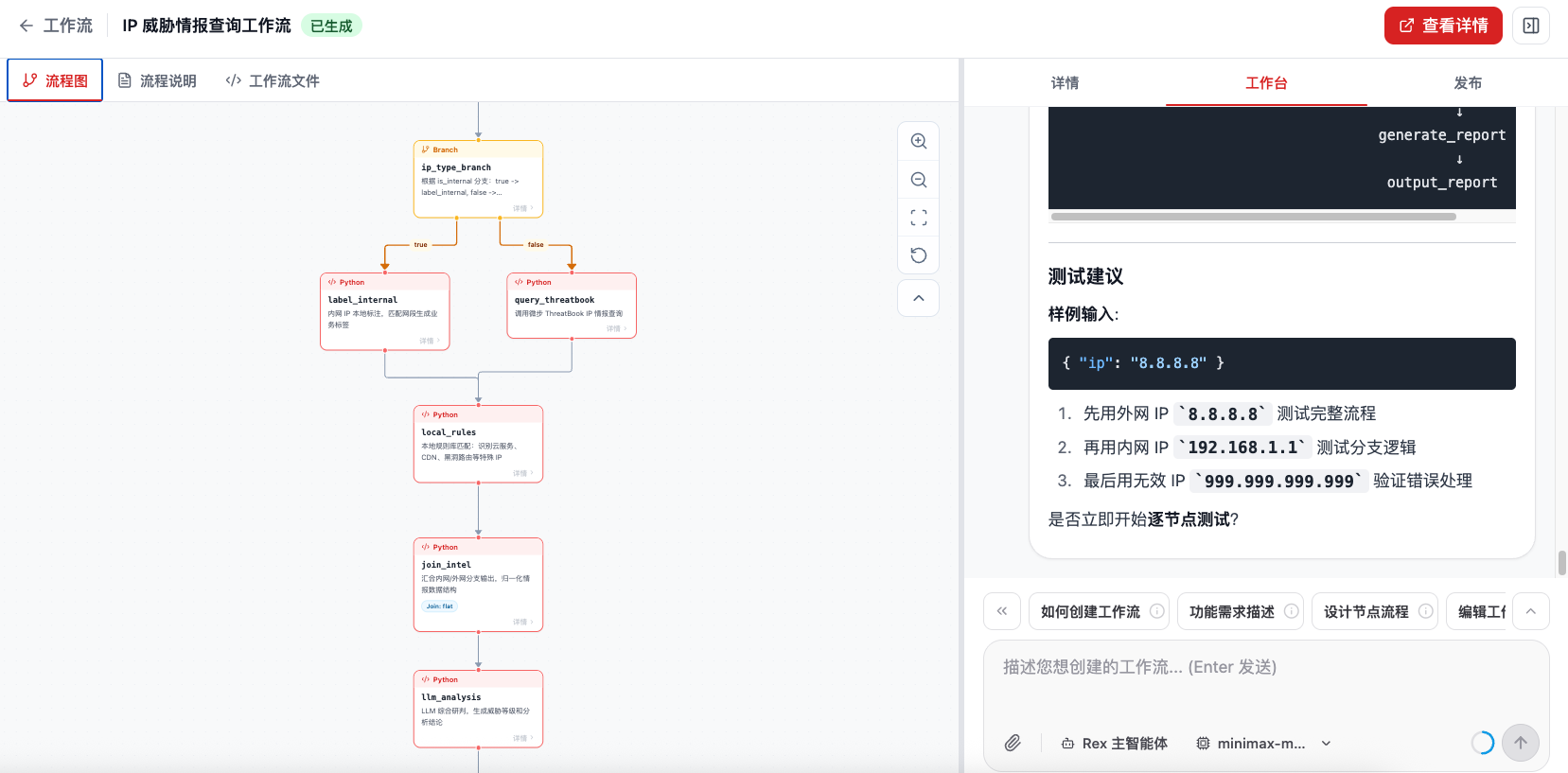
After generation, switch to Flowchart to view the result. The flowchart shows triggers, branches, nodes, and connections. If the right workbench continues to provide testing suggestions, follow them to add sample input and run node-by-node tests.
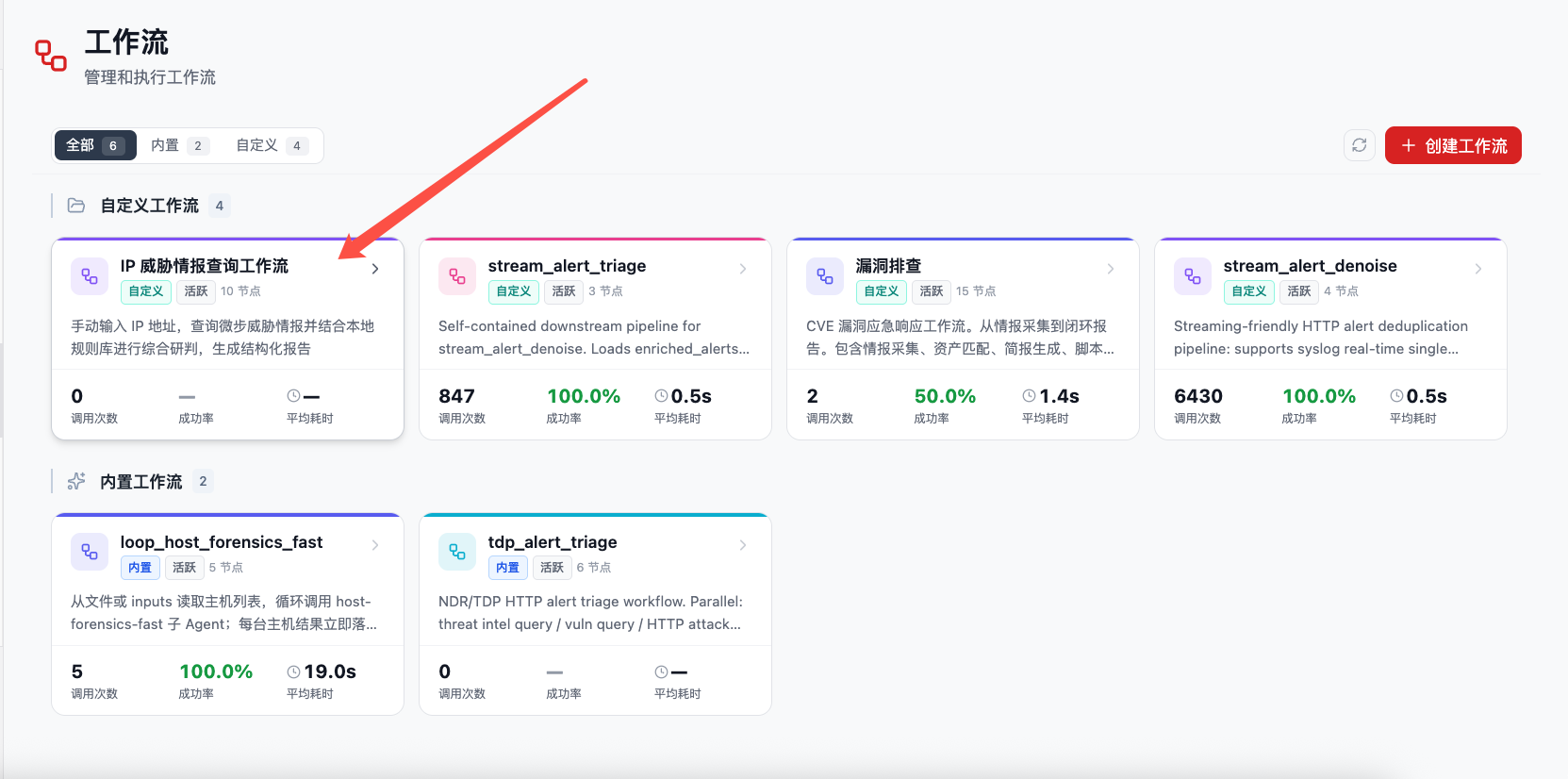
The newly generated workflow is categorized as a custom workflow and appears as a card on the workflow home page. You can later enter the detail page from there to continue running, modifying, publishing, or viewing execution metrics.
4. AI Guidance
The creation page workbench provides Rex-assisted creation. These entries do not just send a fixed template to the model. They require Rex to follow the workflow-builder skill to confirm the scenario, inputs and outputs, node flow, and samples before generating files.
After clicking How to create a workflow, Flocks first helps creation by asking about the user's intent. Rex gradually confirms business scenario, trigger method, inputs and outputs, tools / APIs to call, node steps, branch conditions, sample data, and acceptance criteria. If information is insufficient, Rex continues asking follow-up questions. After confirmation, it generates workflow.md and workflow.json.
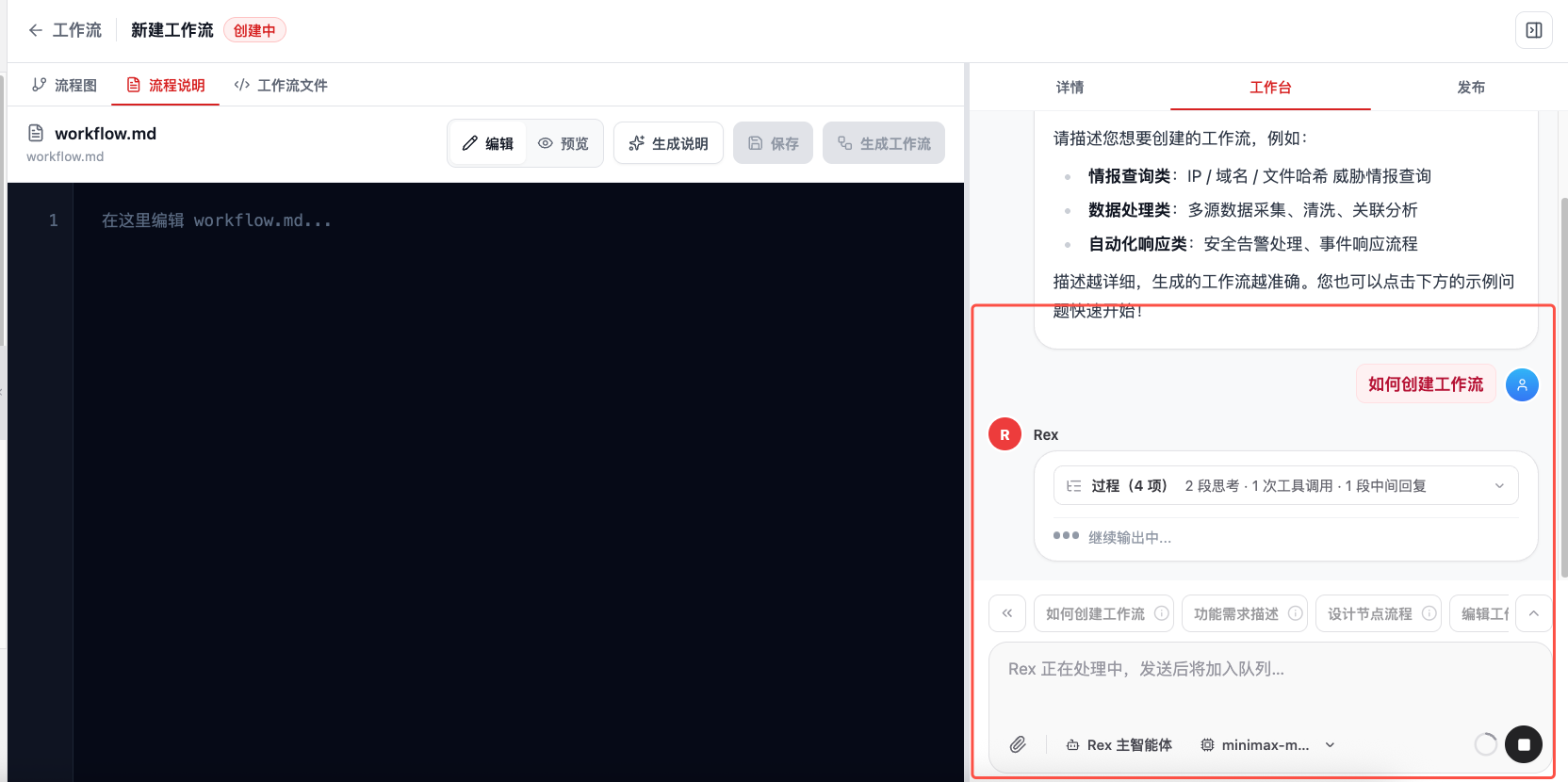
Creation guides include:
| Guide | Suitable For |
|---|---|
| How to create a workflow | Clarify business goals, trigger methods, inputs and outputs, tools / APIs, node steps, branch conditions, sample data, and acceptance criteria from scratch. |
| Functional requirement description | Turn a vague sentence into structured requirements that can generate workflow.md and workflow.json. |
| Design node flow | Split requirements into nodes, edges, branches, loops, exception handling, and a sample data confirmation checklist. |
| Edit workflow nodes | Adjust node responsibilities, inputs and outputs, code, or connections for an existing draft or newly generated workflow. |
| Prepare sample input | Generate or validate a minimum usable input based on the scenario for later node-by-node and integration tests. |
When clicking Generate Description, Rex proceeds according to the workflow-builder skill: first ask whether workflow.md should use Chinese or English, then collect business scenario, inputs, outputs, trigger method, node flow, samples, and acceptance criteria. Before writing, it shows a diff and waits for confirmation before writing workflow.md.
When clicking Generate Workflow, Rex uses the workflow.md currently in the left editor as the main source of intent and generates or updates workflow.json. The goal of this step is to generate the machine definition, not rewrite workflow.md. It should also show a diff and wait for confirmation before writing.
5. Built-In Creation Examples
The creation page provides built-in examples for quickly starting common security operations workflows:
| Example | Typical Input and Output |
|---|---|
| IP threat intelligence query workflow | Input IP address, query multiple intelligence sources, and summarize a report. |
| Domain analysis workflow | Run WHOIS lookup, DNS resolution, and historical record cross-analysis for a domain. |
| File hash detection workflow | Cross-validate file hashes through multiple threat intelligence platforms. |
| Phishing website detection workflow | Analyze URL features, page content, and SSL certificate information. |
| Security incident response workflow | Automatically collect, correlate, and analyze security alerts, then generate handling recommendations. |
Examples are starting points, not fixed finished products. After clicking an example, Rex still asks for key parameters such as data sources, field formats, output report style, outbound rules, failure handling, and acceptance method.
6. Generate, Validate, and Test
During creation, Rex usually completes these actions:
- Parse requirements and identify required node types.
- Design node order and branch logic.
- Generate Workflow description documentation.
- Generate the
workflow.jsonstructured definition. - Configure node input and output schemas.
- Generate or prepare test data.
- Present the visual node graph on the page.
After generation, continue validation:
- Structure validation: check that nodes, edges, start nodes, schemas, and required fields are complete.
- Single-node tests: run each node independently with test data to confirm input/output format and tool calls work.
- Full integration test: run the complete end-to-end flow with full test data.
- Automatic debugging on failure: if tests fail, Rex modifies node configuration, data mappings, or prompts based on error information and tests again.
It is best to provide Rex with one sample data item. This lets Rex immediately use the sample data for single-node tests and full integration tests after generating the Workflow.
Related Resources: Workflow · Modify Workflow · Invoke Workflow