4.8.7 Sangfor SIP Integration
Sangfor SIP integration connects SIP asset, alert, or security event capabilities to Flocks device management. Before integration, configure a third-party platform in the SIP console, then return to Flocks and enter the SIP connection parameters.
Configure a Third-Party Platform in SIP
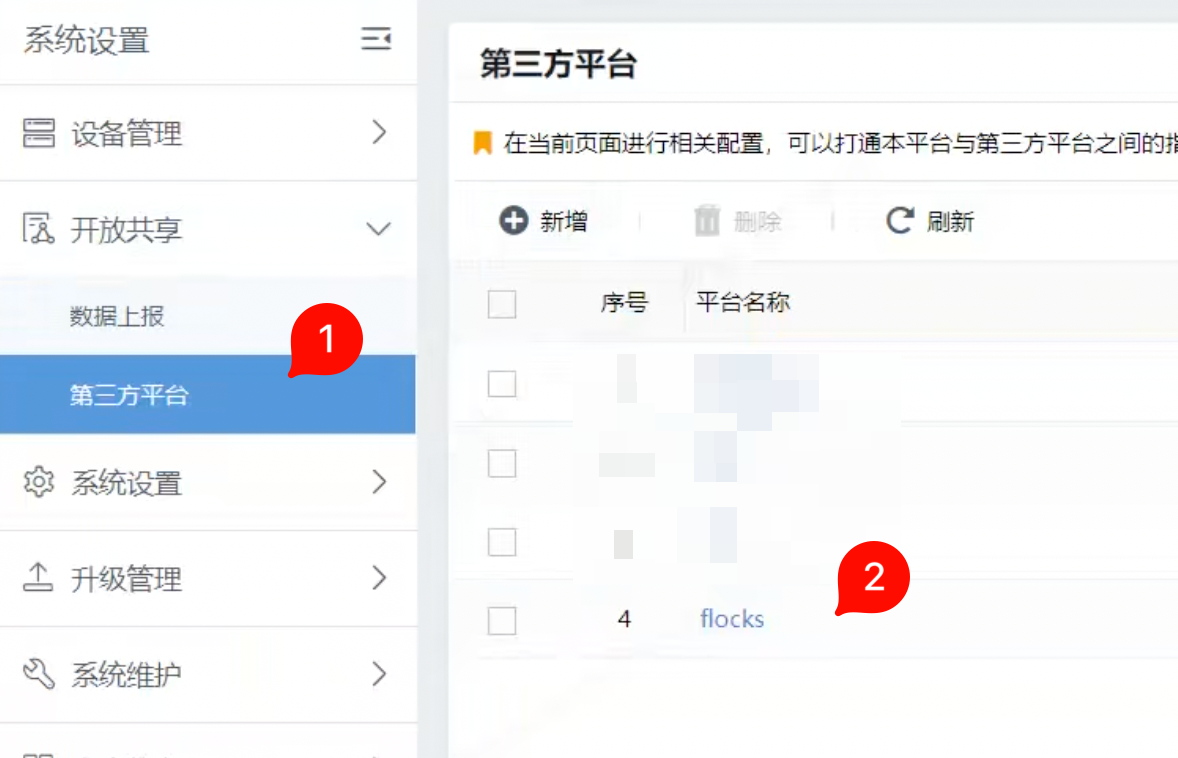
After logging in to the Sangfor SIP console, open System Settings > Open Sharing > Third-Party Platform. If a Flocks platform configuration already exists in the list, edit it directly. Otherwise, click Add to create a platform configuration.
When editing or adding a platform, enter the platform name, platform IP, reported asset scope, and authentication account and password.
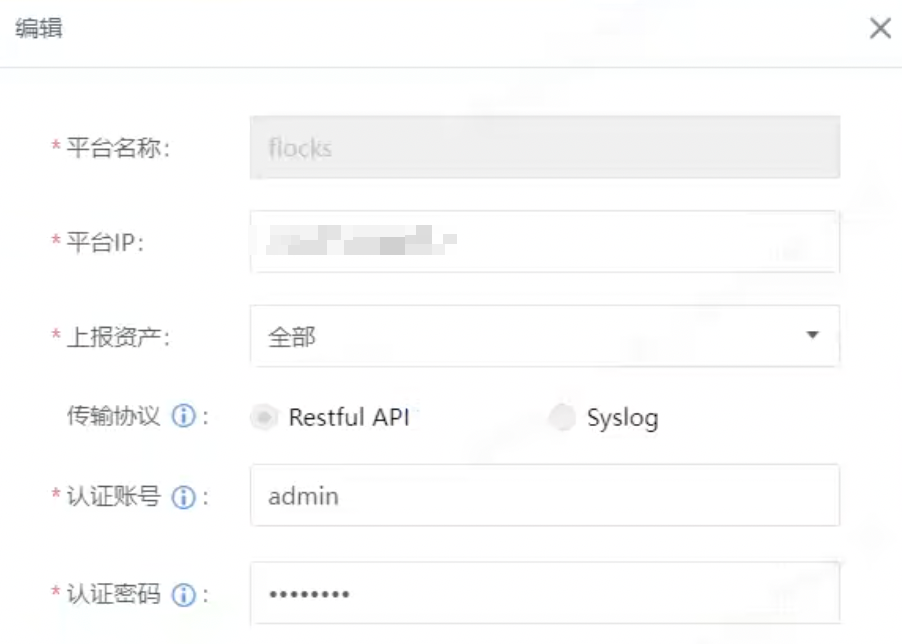
Key fields:
- Platform Name: Use
flocksso it is easy to identify in the SIP console. - Platform IP: Enter the IP of the machine running the Flocks service, not the SIP IP.
- Reported Assets: Select based on operational requirements; selecting all by default is recommended during initial setup.
- Transport Protocol: Select
Restful API. - Authentication Account / Authentication Password: Used when Flocks connects to SIP.
After saving, confirm that the platform configuration is available in the list.
Enter Configuration in Flocks
Open Device Integration, select the Sangfor SIP template, and enter the instance configuration.
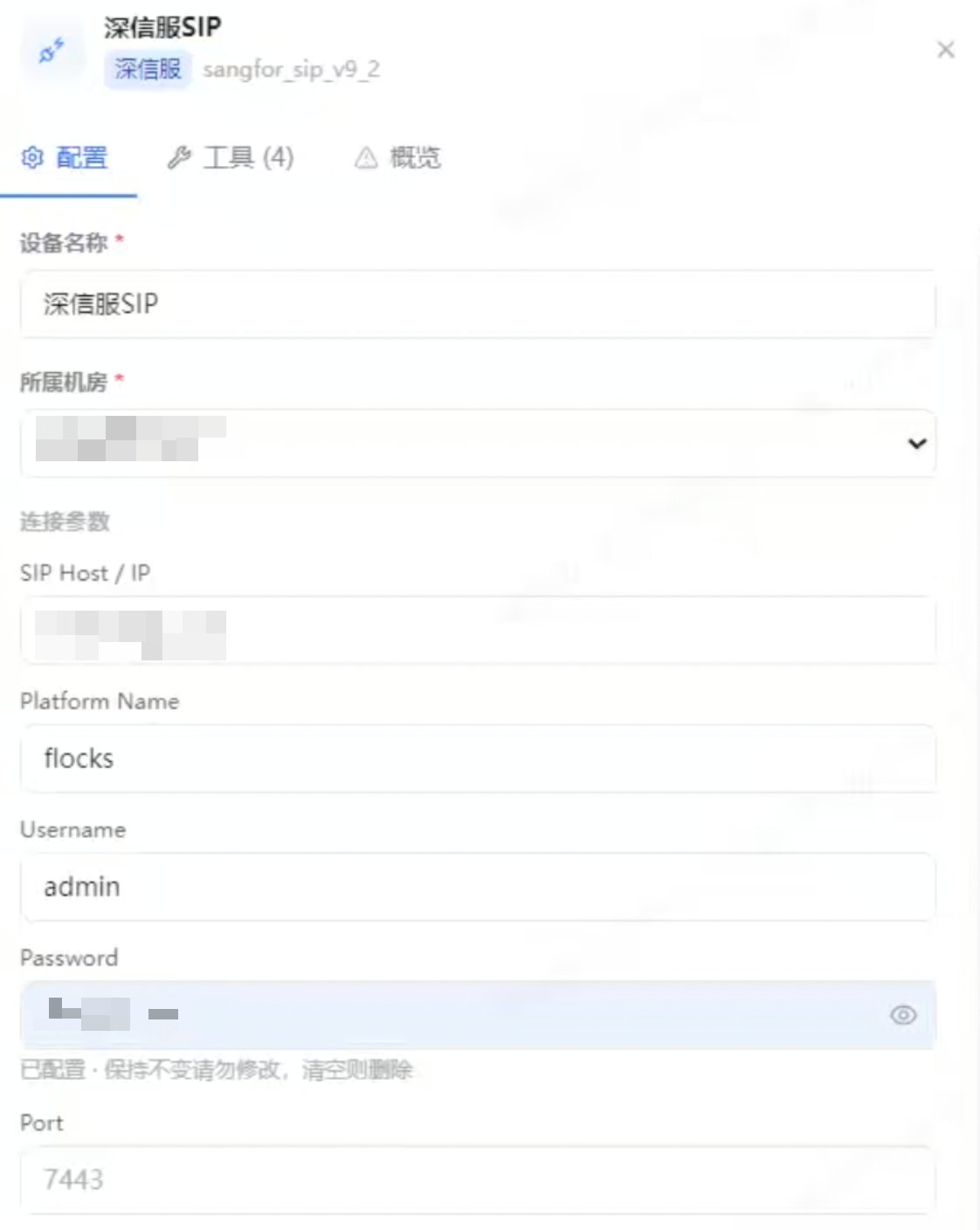
Key fields:
- Device Name: Current SIP instance name, such as
Sangfor SIP. - Data Center: Data center or region that the device belongs to.
- SIP Host / IP: Enter the IP address of Sangfor SIP.
- Platform Name: Enter the platform name configured in the SIP third-party platform, usually
flocks. - Username: Enter the authentication account from the SIP third-party platform configuration.
- Password: Enter the authentication password from the SIP third-party platform configuration.
- Port: You can leave this empty by default. Enter it only when SIP uses a non-default port or the page explicitly requires a port.
After saving, run the connectivity test. Confirm that the machine running Flocks can access SIP Host / IP, and that the platform IP configured in the SIP console points to the machine running the Flocks service.
FAQ
| Question | Solution |
|---|---|
| SIP-side platform configuration cannot call back | Check whether Platform IP in SIP is set to the IP of the machine running the Flocks service. |
| Flocks connectivity test fails | Check whether SIP Host / IP is set to the IP address of Sangfor SIP, not the Flocks IP. |
| Authentication failed | Confirm that Username and Password in Flocks match the authentication account and password in the SIP third-party platform configuration. |
| Port is uncertain | Keep Port empty first. Enter it only for non-default port scenarios. |