4.8.2 TDP Integration
TDP integration connects ThreatBook TDP alert, event, asset, or intelligence query capabilities to Flocks device management. Before integration, enable the API in the TDP admin console and obtain the API Key, Secret, and accessible Base URL.
Prepare API Credentials
Open Platform Management > API Configuration in the TDP admin console and confirm that the API Switch is enabled. The page displays the currently available Secret. In the requester list below, you can view or add a requester and obtain the corresponding API Key.
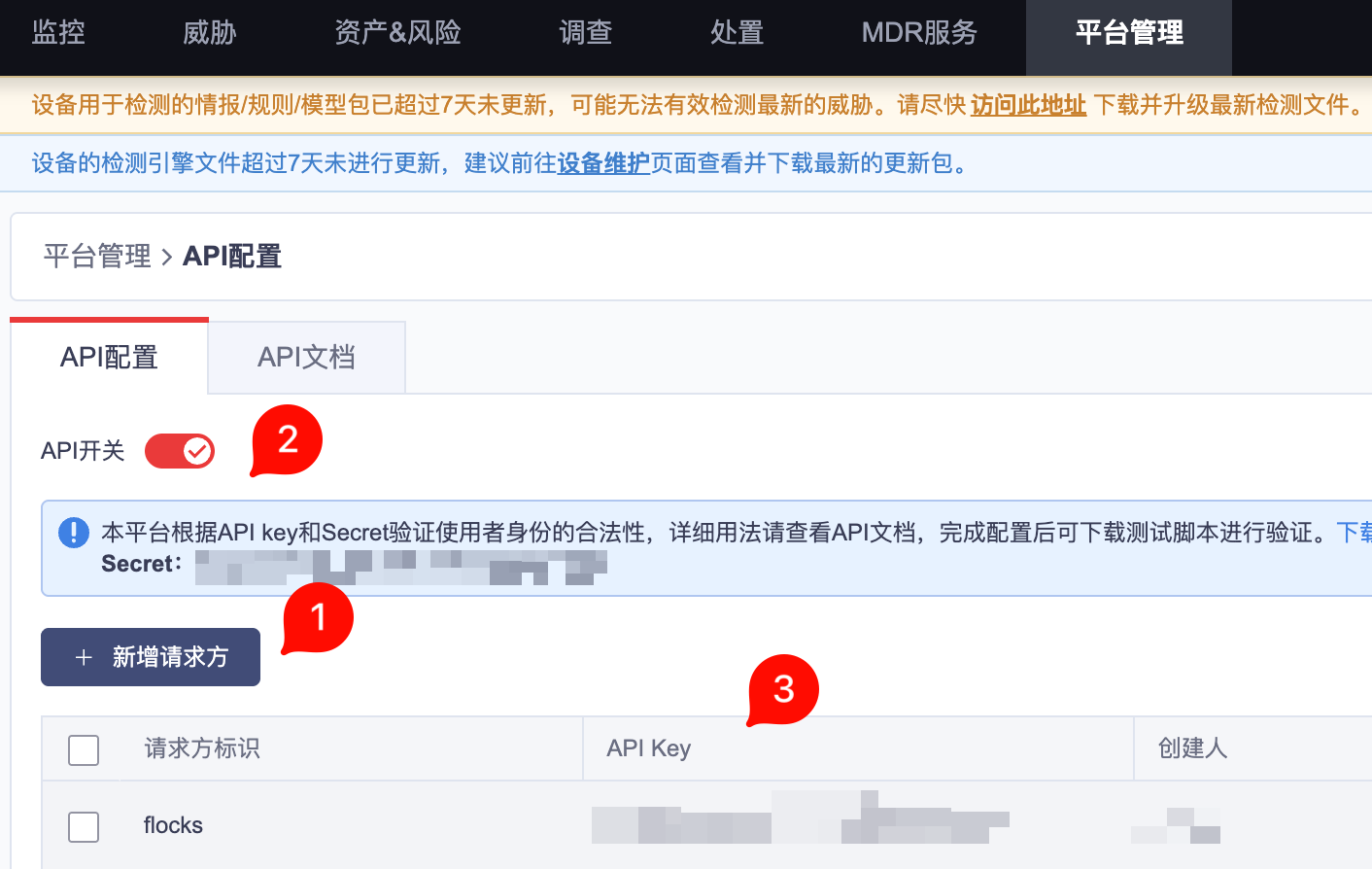
Prepare:
- API Key: The
API Keyin the requester list. - Secret: The
Secretshown in the API configuration prompt area. - Base URL: The TDP console or API service address. Enter it according to the actual deployment.
If the production environment has multiple requesters, create a separate requester for Flocks so later auditing, disabling, and key rotation are easier.
Enter Configuration in Flocks
Open Device Integration, select the ThreatBook TDP template, and enter the instance information. Use a recognizable business name for the device name, such as Headquarters TDP or Beijing TDP.
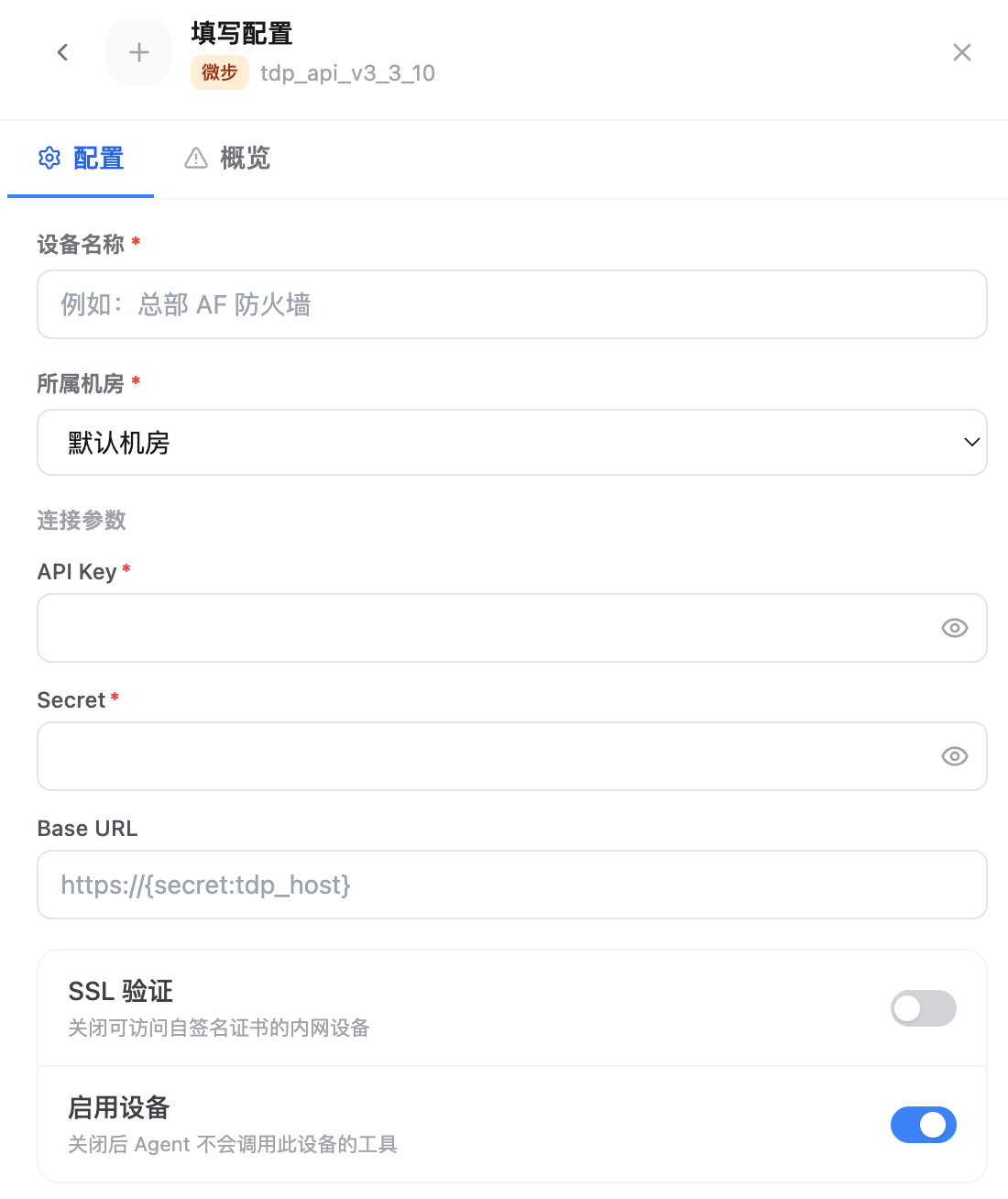
Key fields:
- Device Name: Current TDP instance name.
- Data Center: Data center or region that the device belongs to.
- API Key: Enter the
API Keyfrom the requester list in the TDP console. - Secret: Enter the
Secretshown on the TDP API configuration page. - Base URL: Enter the TDP API service address. The default placeholder may use
https://{secret:tdp_host}; replace it with an address accessible in the current environment during integration. - SSL Verification: Can be disabled when an internal self-signed certificate causes the connectivity test to fail.
- Enable Device: Keep this enabled so Agent can call this device's tools.
After saving, run the connectivity test and confirm that the credentials, network, and interface paths are all available.
FAQ
| Question | Solution |
|---|---|
| Connectivity test returns authentication failure | Check again that API Key and Secret come from the same requester or the same TDP environment. |
| The page is accessible but the API is not | Check whether Base URL is the API service entry point, not only a redirect address for browser access. |
| Certificate error | For internal self-signed certificate scenarios, disable SSL Verification and retry. |